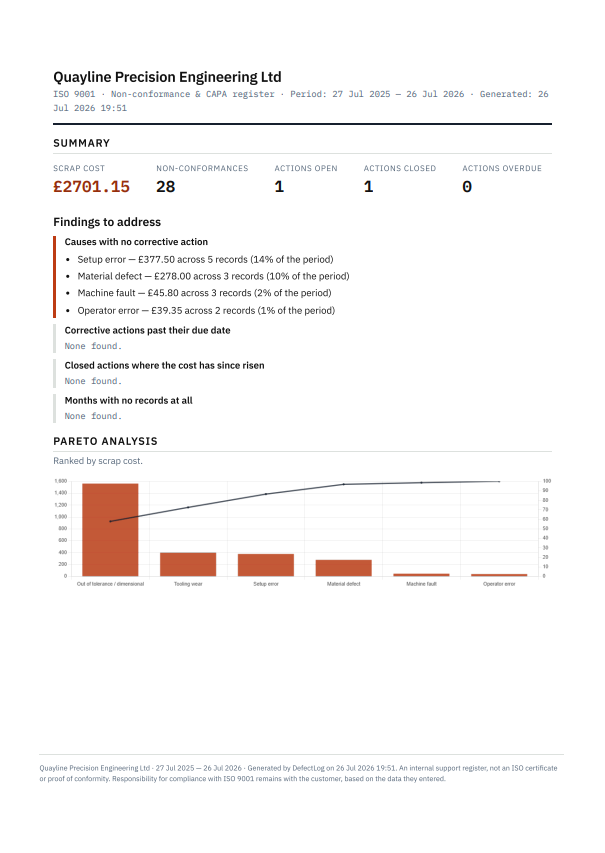
Non-conformance and CAPA tracking for small UK precision engineering shops. No per-user fees.
Scrap stops being a feeling and becomes a figure. And the register your auditor asks for is already written.
Why the list doesn't help
Most scrap sheets have grown one line at a time, and the reasons column ends up holding three kinds of entry. None of the three tells you why a part went in the bin.
A colour, a letter, a team name, a supervisor's initials. It records the shift. Change the shift and the scrap moves with it, because the shift was never the reason.
The samples and test pieces you run on purpose, because that is how you prove the rest are good. The part doesn't come back, so it lands on the scrap sheet. That cost is real and it belongs in the accounts. It doesn't belong in a list of things to fix.
The two or three categories wide enough to swallow anything. Every sheet has them, and they quietly take the biggest share.
Run that through a Pareto and the most expensive cause in the shop comes out as a shift, or as a category that means nothing. There is nothing anyone can do with either.
DefectLog keeps shift, machine and operator in fields of their own, so they leave the cause list and the chart goes back to answering why. Planned quality checks get one cause to sit in and stop crowding out the ones worth fixing. Bring your own list to the call. Fifteen minutes is enough to see which half of it is telling you something.
01 · COST, NOT COUNT
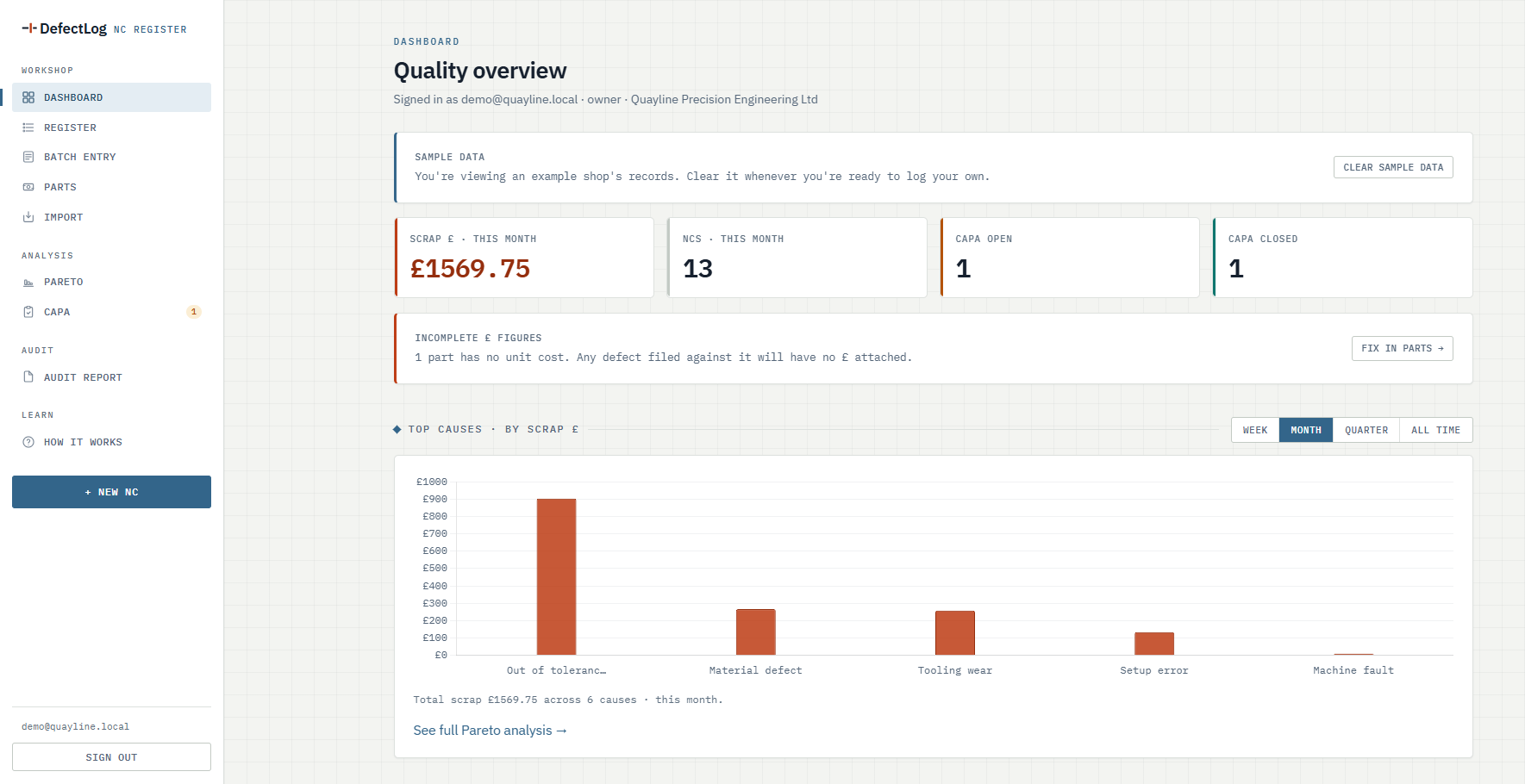
Quantity × unit cost, frozen at the moment you log it, so last year's figures don't change when this year's prices do. The dashboard shows what went to scrap this month.
Unit cost is optional. If a part isn't priced, DefectLog tells you how many records have no cost and lets you switch Pareto over to counting pieces instead. It works with the figures you give it and nothing else.
02 · PARETO → ACTION
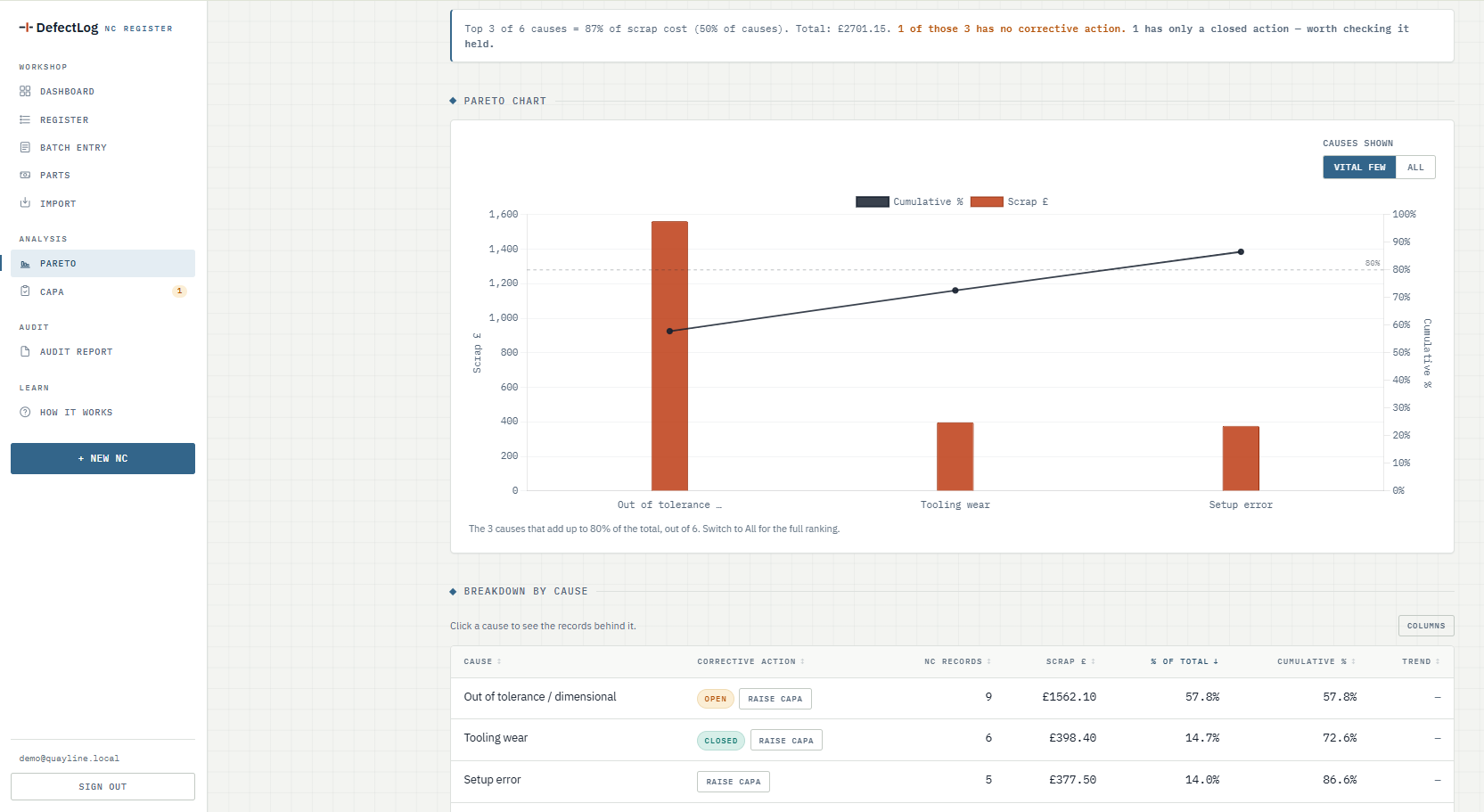
You can see which causes cost you the most and which of them still have nothing done about them. Raise a corrective action from the same screen and it stays pinned to the defects that built the bar.
03 · CAPA WITH EVIDENCE
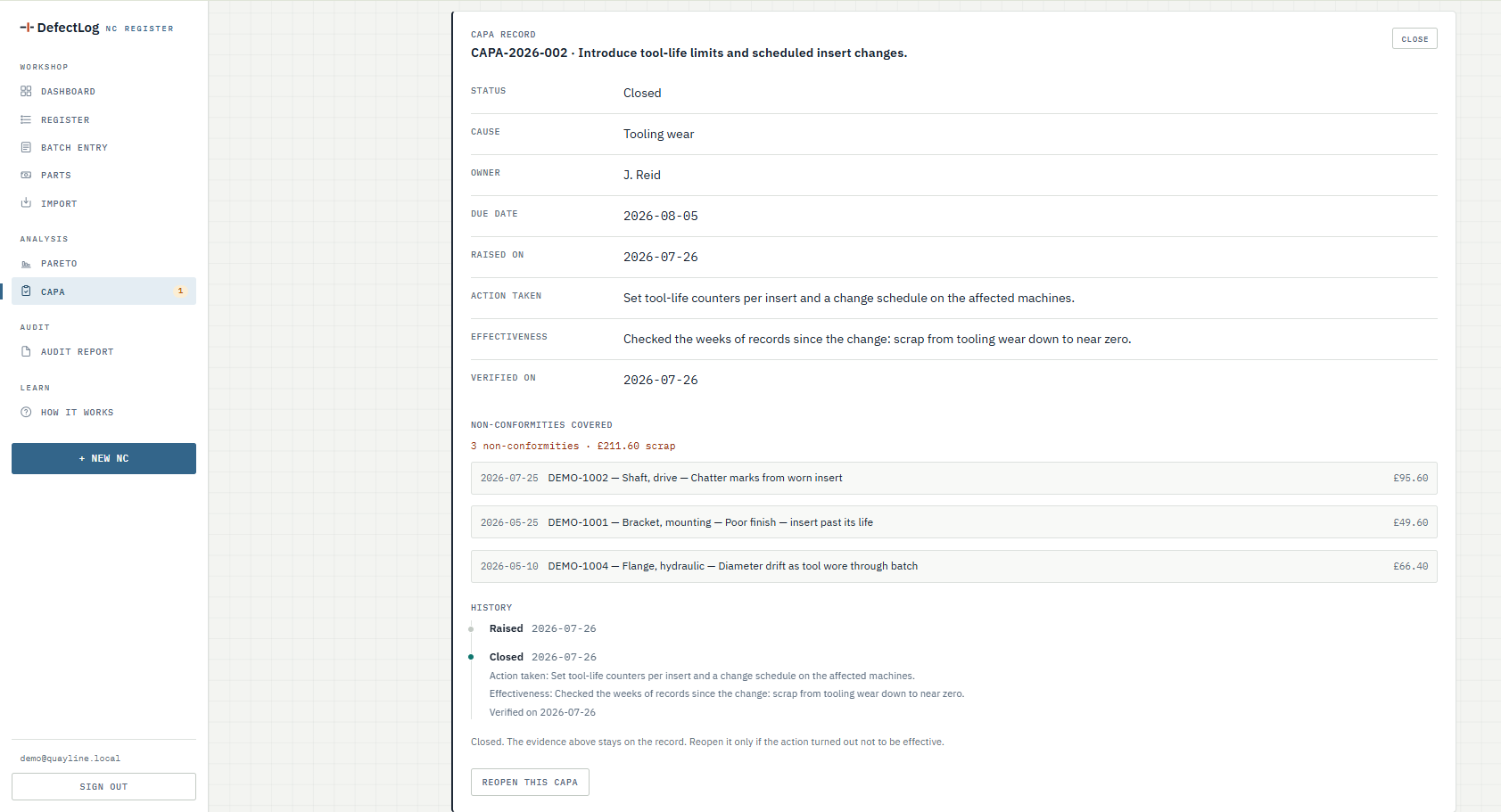
Action taken, effectiveness check, verification date. The database enforces all three, so there is no reminder left to ignore. ISO 9001 clause 10.2 asks for exactly this. A trend column then shows whether the cause's cost actually fell after you acted.
CAPA, in plain English: what you do after a defect. Find the root cause (RCA), take a corrective action (CA), then check it actually worked. Every shop names the parts a little differently. DefectLog keeps them as one record your auditor can follow from cause to close.
Audit day
One document you print straight to PDF: the findings an auditor looks at first, your Pareto, and every corrective action with its evidence. The figures match the screens because the report reads the same data rather than being typed up again.
Bring your own scrap sheet and we'll go through it together. Fifteen minutes, no slides.
Book a 15-minute callWho built it
Fifteen years in precision manufacturing behind it. DefectLog handles Pareto and CAPA the way they get used on the floor, which is rarely how a slide deck describes them.
Adam · Poole, Dorset
Excel already works, so why pay?
Excel won't tell you that one cause ate £3,200 in a quarter, and it will happily let you close a corrective action with nothing behind it.
Is my data safe?
The database itself keeps each company's records apart (Postgres row-level security). We audit that before every release, and the data is hosted in the EU.
How long to get going?
Paste your parts list in from Excel, then type up one shift's tally on a single screen. You'll have your first Pareto the same day.
How many users can I have?
As many as you like. The £79 is for the shop, so putting the second inspector or the night shift supervisor on it costs nothing extra.
Start
£79a month
One subscription covers everyone who touches it. Nobody counts seats, and nothing changes on the invoice when you take someone on.
Every shop starts with a free 30-day pilot. No contract, cancel anytime.
Book a 15-minute callFifteen minutes, no slides. Bring your spreadsheet and your questions.
Button not working on your phone? Email hello@agoinfo.uk instead.